 Blockbird
Browse without ads
Blockbird blocks ads, trackers and cookie pop-ups in Safari — and in Chrome and other browsers on your iPhone.
Coming soon to the App StoreFor iPhone · Free trial
Works in Safari and Chrome
Two kinds of protection, one switch each.
Safari
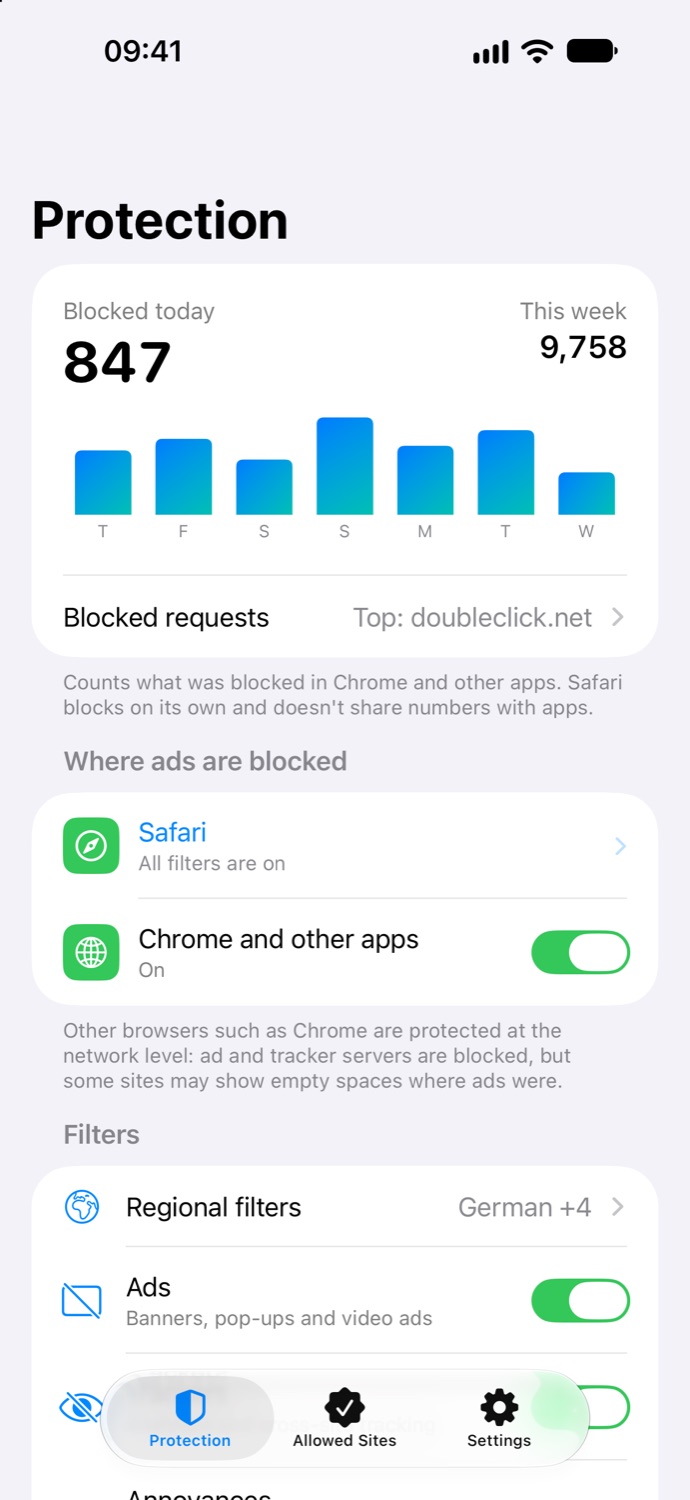
Three Safari extensions block ads, trackers and annoyances. Safari applies the rules itself — the extensions never see the pages you visit.
Chrome and other browsers
Chrome on iPhone has no extensions, so Blockbird adds a DNS filter that runs on your iPhone: ad and tracker servers simply don’t load.
Ads inside apps like YouTube, Instagram, TikTok and games come from the same servers as the content, so they can’t be blocked. In Chrome, some pages may show empty spaces where ads were.
Small app, big difference
Ads, trackers, cookie pop-ups
Banners, video ads, analytics scripts and cookie notices are removed, so pages load faster and look cleaner.
Filters for 25 languages
Regional filter lists are picked automatically from the languages on your iPhone.
Allow a site in a tap
Something looks broken? Turn blocking off for one site right from Safari’s Share menu.
See what’s blocked
Daily counts and the trackers stopped most often, updated live as you browse.
Trusted filter lists
Built on EasyList, EasyPrivacy and 30 more community lists, all credited in the app.
No account needed
Install, turn it on, done. There’s nothing to sign up for.
Take a look


Private by design
Read the privacy policy →- Filtering happens on your iPhone. We don’t run servers that see your traffic.
- No account, no analytics, no ads. Statistics stay on your device.
- Only DNS lookups go through the local VPN, sent to Cloudflare over encrypted DNS. All other traffic goes directly.
Try it free
Start with a free trial, then pick a weekly or yearly plan. One subscription covers Safari and Chrome. Cancel anytime in Settings.
Coming soon to the App StoreQuestions
Does it really work in Chrome?
Yes. Chrome on iPhone doesn’t support extensions, so Blockbird blocks ad and tracker servers with a DNS filter that runs on your iPhone. It works in Chrome and other browsers too.
Why does it ask to add a VPN?
iOS calls any network filter a VPN. Blockbird’s VPN runs on your iPhone and only handles DNS lookups: it answers for ad domains itself and sends the rest to Cloudflare over encrypted DNS. Your other traffic doesn’t go through it.
Can it block ads in YouTube, Instagram or TikTok?
No. These apps deliver ads from the same servers as their videos and posts, so no filter can tell them apart. Blockbird is made for browsing the web.
Can you see the sites I visit?
No. Safari applies the blocking rules itself and never shows pages to the extensions. Blocking statistics are stored only on your iPhone.
A site doesn’t work properly. What do I do?
In Safari, tap Share → Blockbird and turn blocking off for that site. In other browsers, turn off “Chrome and other apps” in Blockbird for a moment.
How do I cancel the subscription?
Open Settings → your name → Subscriptions → Blockbird. Cancel at least 24 hours before the current period ends so it doesn’t renew.